















Con el Complemento de
Calculadora de Costos usted puede
La Calculadora de Costos es una extensión que cualquiera puede incorporar a su sitio web.
Screenshots


Características
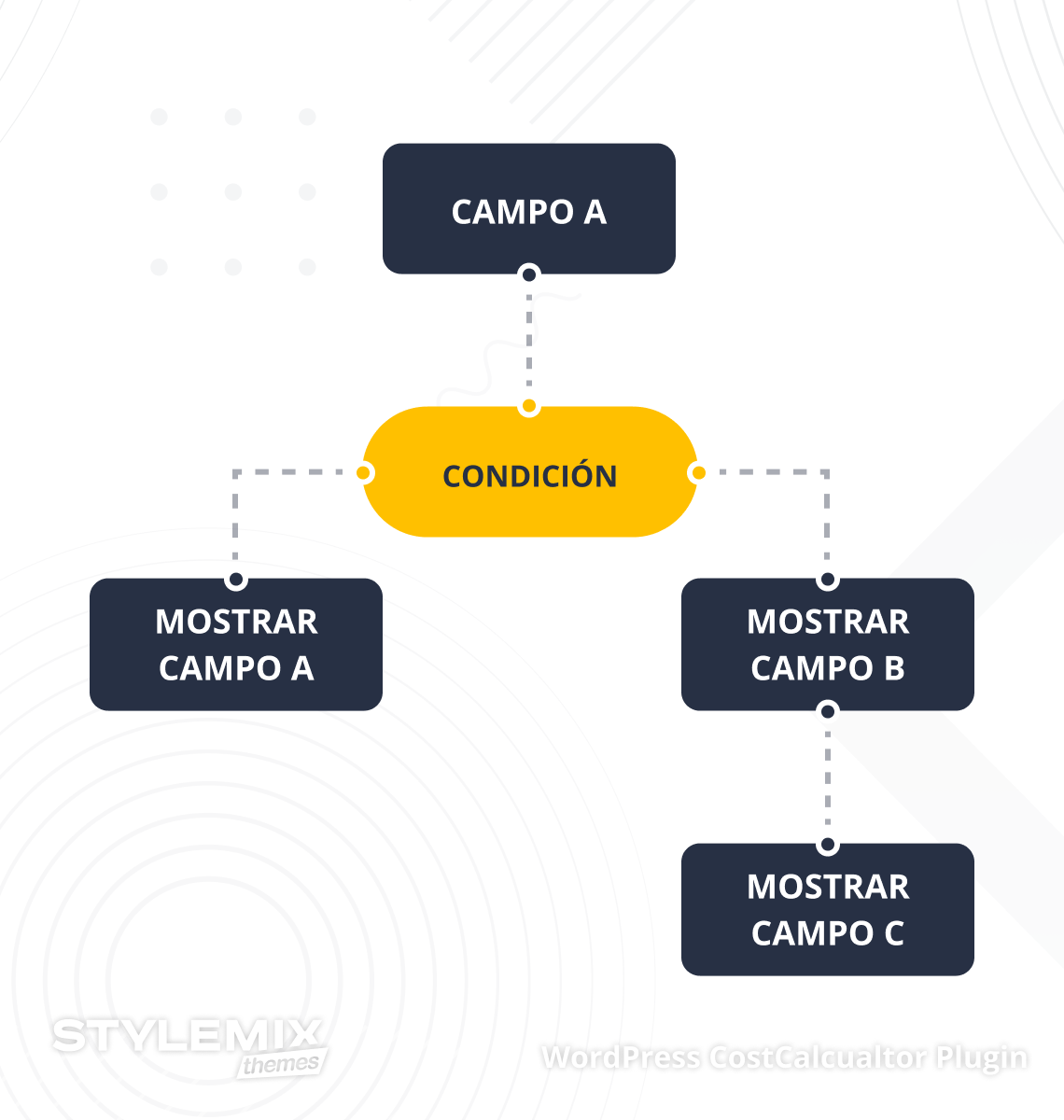
Función de Condiciones
El sistema condicional es una característica sorprendente que le permite crear formularios de calculadora más detallados y prácticos. Al utilizar esta opción, puede vincular los campos de su calculadora y agregar diferentes condiciones. El sistema condicional permite que los campos de formulario se muestren, se oculten o sean deshabilitados de acuerdo a las condiciones que se cumplan. Permita que los clientes interactúen únicamente con los campos que necesitan utilizar y cree formularios de valoración prácticos y valiosos.
Which Cost Calculator Plugin elements does it work on?
 Checkbox
Radio
Date picker
Time picker
Total
Multi Range
Checkbox
Radio
Date picker
Time picker
Total
Multi Range
 Repeater
Text box
Toggle
Range
File Upload
Image Select
DropDown
Validated Form
Html
Image Radio
Image Checkbox
Quantity
Group Field
Geolocation
Page Breaker
Line
Repeater
Repeater
Text box
Toggle
Range
File Upload
Image Select
DropDown
Validated Form
Html
Image Radio
Image Checkbox
Quantity
Group Field
Geolocation
Page Breaker
Line
Repeater
Formula Element: Effortless Calculations Guaranteed
Universal Calculations.
Users can calculate anything from cleaning services to web design projects without effort.
Easy to Use.
Build hassle-free formulas with letters instead of confusing words.
Formulas with Multi-Conditions.
Feel the magic of different colors for nested conditions. You can handle formulas with many conditions for fewer errors and more accuracy.
Colored Letters.
Green-colored letters now mean the value in total. There will be grey letters if you add non-existing elements to the formula editor.
Learn More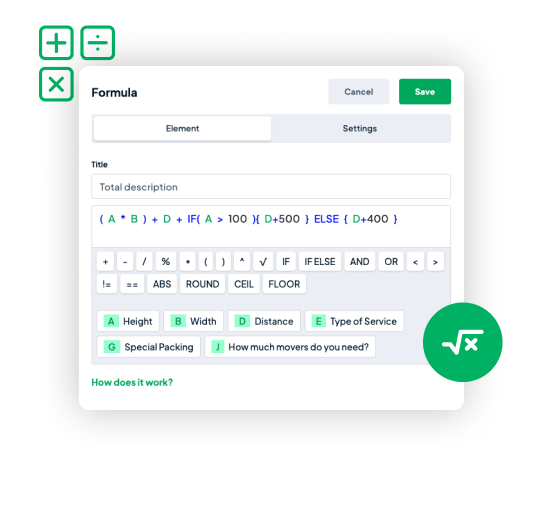

Page Breaker
With the Page Breaker, you can build calculators that guide visitors step-by-step. It makes filling out forms easy because visitors answer one question at a time. This way, they won't feel overwhelmed and can go through each step.
Geolocation Element
With Geolocation, customers can calculate distances or choose pick-up points hassle-free. They just simply input starting and ending points, and your calculator will estimate the cost. Make choosing a branch easy with multiple locations available.

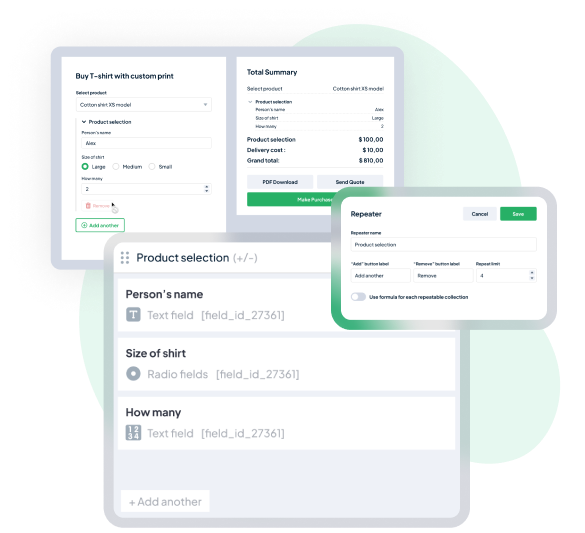
Repeater Element
Let your customers calculate costs for several items or people in a single form with Repeater element. Perfect for group orders, events, and collaborative planning. It saves time, reduces manual effort, and boosts efficiency.
Validated Form
Validated Form is the key to accurate data input in your calculator. It makes sure that every number, email, URL, and name entered is correct.

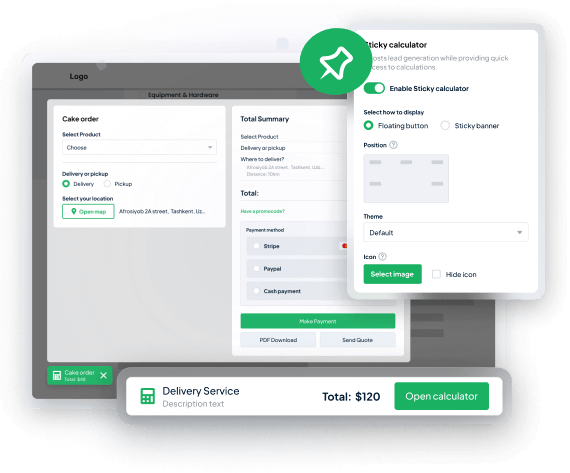
Sticky Calculator
The sticky button stays on the screen as users scroll and reminds them to use the calculator. This helps get more people interested and can lead to more sales. You can also customize the Sticky Calculator to match your style.

WooCommerce Price Calculator
The StylemixThemes WordPress Cost Calculator Plugin is fully compatible with Woocomerce and products on your store.
Use all available custom elements in price calculation formulas to change the WooCommerce product price.
Moreover, you can add a calculator to all WooCommerce products in any category, so there is no need to manually insert the calculator to the product page.
Custom Order Form
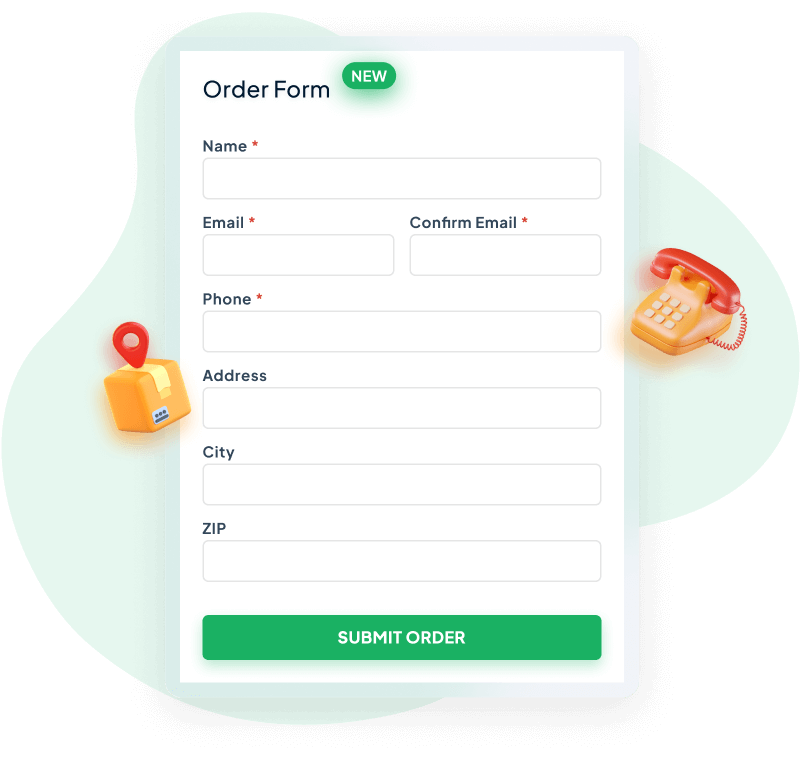
Order form for calculators has features to gather order information and handle customer requests. You can easily add various fields such as contact details, shipping addresses, reward cards, and biometric data. Design an order form using the calculator that perfectly fits your business needs.

Payment Method
Get payments easily in your customers' preferred currency with secure gateways such as Stripe, PayPal, Razorpay or cash. Offer multiple payment options for a smooth checkout experience.
Orders Dashboard
Do you want to be aware of the status of commenced orders and view payment details for paid ones?
For the monetized WordPress Cost Calculator plugin form, there is a dedicated section available to review.
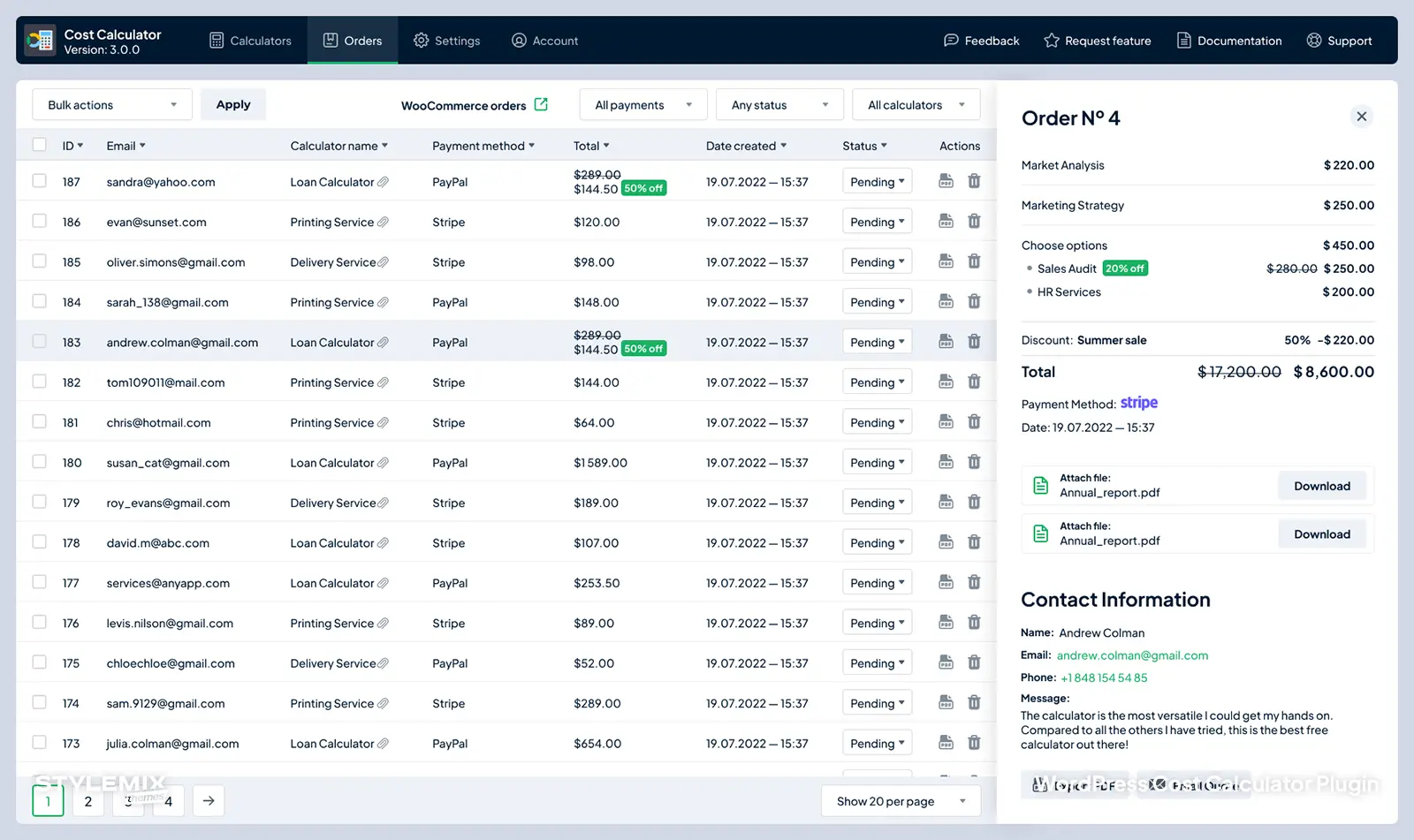
All active orders from your clients can be viewed directly from your dashboard. Track, operate, and confirm your customers’ orders. You can easily view, filter, and confirm all the details of pending arrangements from the price to the date for each built calculator separately.
Discounts Feature
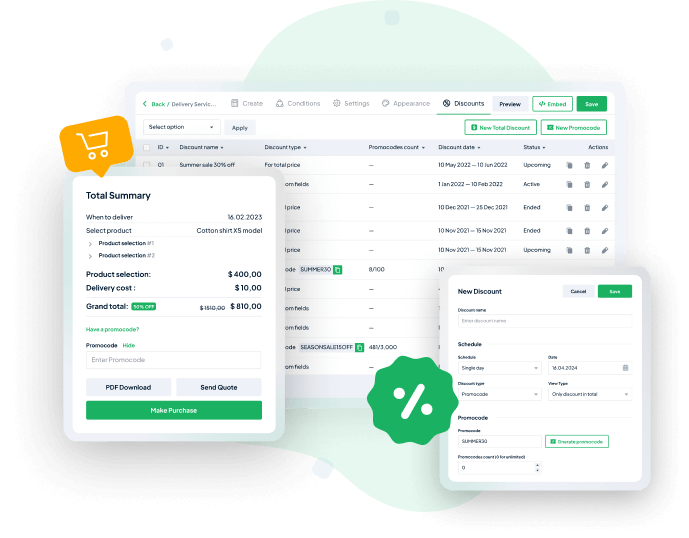
Want to offer appealing discounts to customers? Make it real with the Discounts feature. Offer discounts based on total calculations or promo codes and maximize your revenue.
PDF Entries
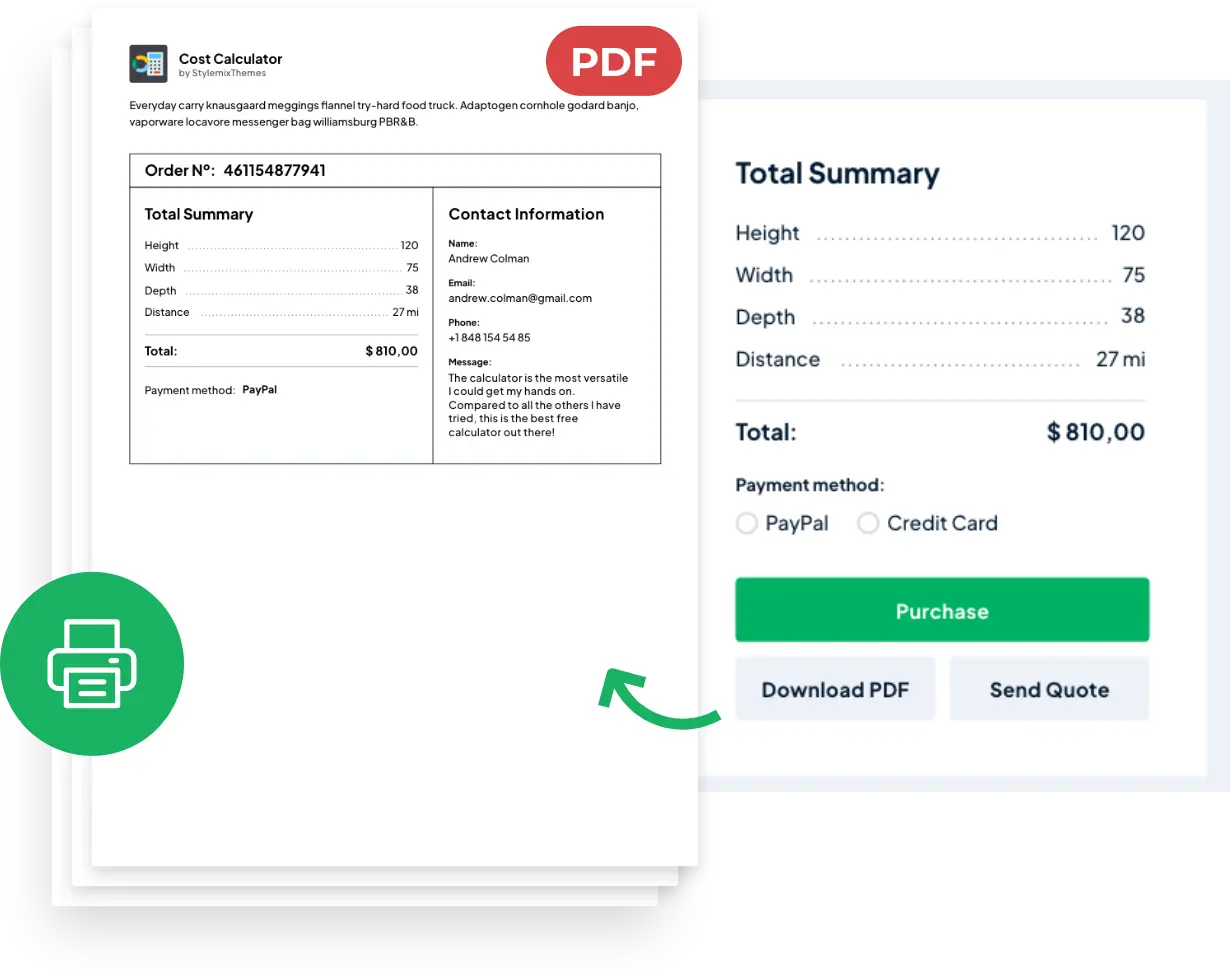
After the calculation in the built calculator, your clients will be able to receive a detailed invoice with costs for services.
Your customers will be able to download, print, or send an invoice via email. Apart from it, all pdf documents will be stored in a special section of the Cost Calculator for the website owners to keep the history of transactions.
Form Templates
Meet our collection of WordPress Cost Calculator Premade Form Templates for any kind of business!
Our templates are designed to save you time and make your life easier. With our library of 100+ booking and pricing form templates, you'll have everything you need to create a professional-looking form that meets your business' needs.
Learn More
Image Checkbox & Radio
Using our Image Checkbox feature, you can simply and easily customize the image field to your advantage. You can now add checkboxes and radio buttons with images! There is a wide variety of choices for WordPress Cost Calculator Plugin that is not limited to Switch, Dual Two-Way, and One-Way Push.
By selecting the radio or checkbox choice, you can view the image on top of each checkbox/radio button giving two more custom elements for you to use! Check out this new feature when using Cost Calculator!
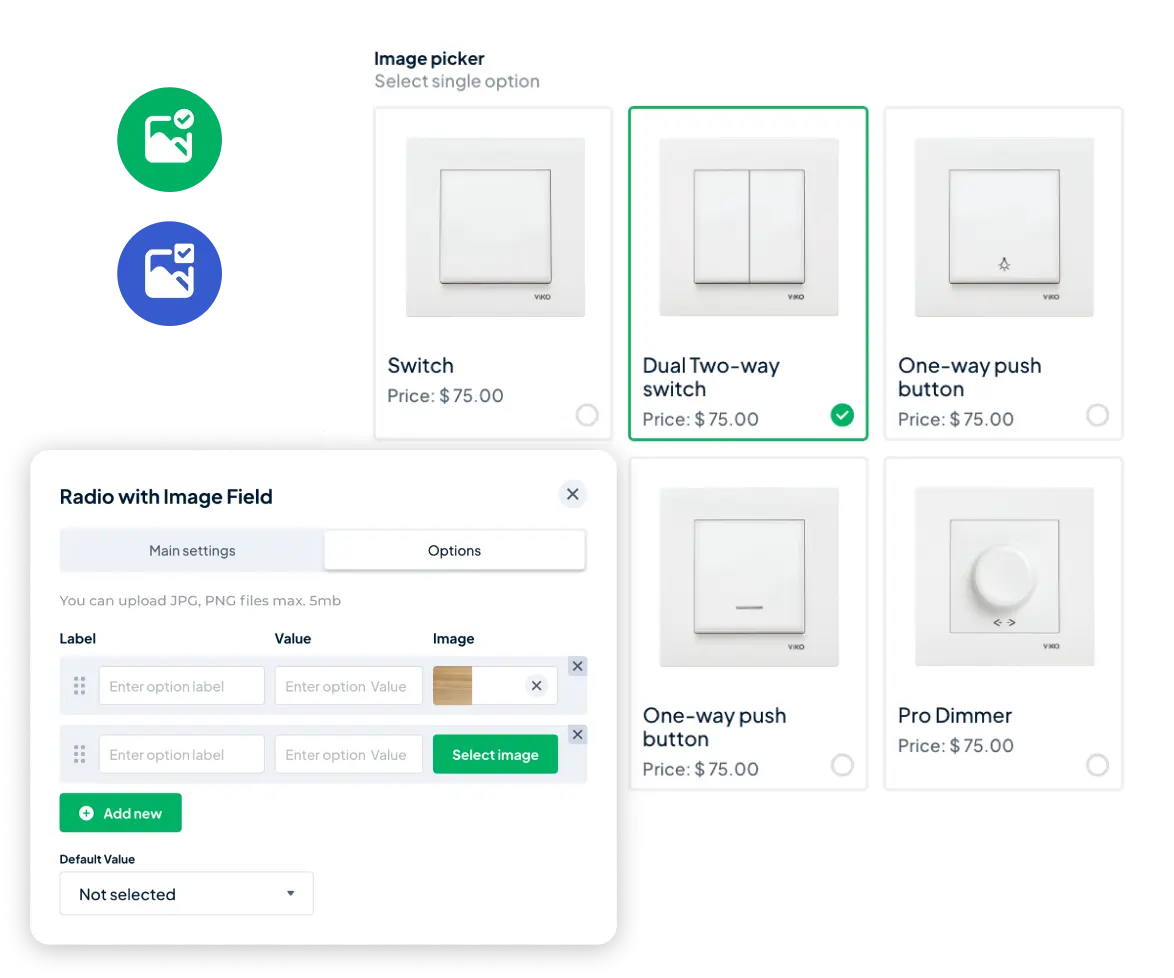
Variety of Cost Calculating Elements
Elija la mejor opción.
Actualice a la versión profesional por tan solo $29.99
Tabla Comparativa
Testimonios


Best Cost Calculator Plugin for WordPress






Video tutorials

Custom Formula in Total Price - WordPress Cost Calculator: Ultimate Guide

How to Add a Cost Calculator to WordPress - Full Step By Step Guide

How to Generate PDF Entries

How to Setup Stripe in Cost Calculator

How to Setup PayPal in Cost Calculator

Integration with WooCommerce

How to set the Conditions on Calculator

How to Add a Calculator on Your Page

How to Customize a Pricing Calculator

How to Import Demo Calculators

How to Build a Pricing Calculator

How to Manage the Orders in Cost Calculator

How to Add and Activate License Key

Repeater Element in WordPress Cost Calculator

How to Setup Custom Webhooks in WordPress Cost Calculator
-
Apoyo de clase mundial por StylemixThemes
Proporcionarle un servicio de alta calidad es nuestra prioridad. Utilice la base de la documentación en línea y tutoriales en video. ¿No has encontrado una solución? Pregunte sus dudas para contar con un servicio de soporte profesional.